A modern home for tracker modules, game music, and retro sound formats
Rediscover classic digital music with a new generation player inspired by the original Realtech Module Player from the DOS era. RMP brings together tracker modules, console game music, and retro sound chip formats in one modern app for iPhone, iPad, Mac, and Windows 11.
Classic roots. Modern playback.
RMP is a modern retro music player and explorer built for fans of tracker music, demoscene productions, and classic video game sound formats. Originally born in the DOS era, Realtech Module Player returns 30 years later with a modern interface, advanced playback tools, online music discovery, and deep music exploration features.
More than a simple player, RMP is designed as a complete retro music experience: play songs, browse instruments, inspect waveforms, audition samples, and build playlists from your own collection or online archives.
Heritage
From the DOS scene to today
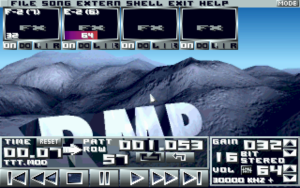
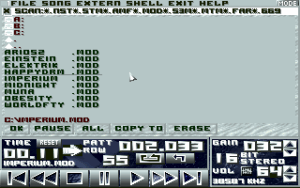
Realtech Module Player began as a PC DOS application in the 1990s, created during the classic tracker and demoscene era. Today, RMP returns as a modern re-release inspired by that original spirit, bringing retro music playback to current Apple and Windows devices while preserving the identity of the classic app.
A re-release of the original DOS version is also planned for the website as part of this 30-year return.
Features
What RMP offers
▸ Play tracker modules, retro game music, and sound chip formats in one app
▸ Built on multiple playback engines for broad retro music compatibility
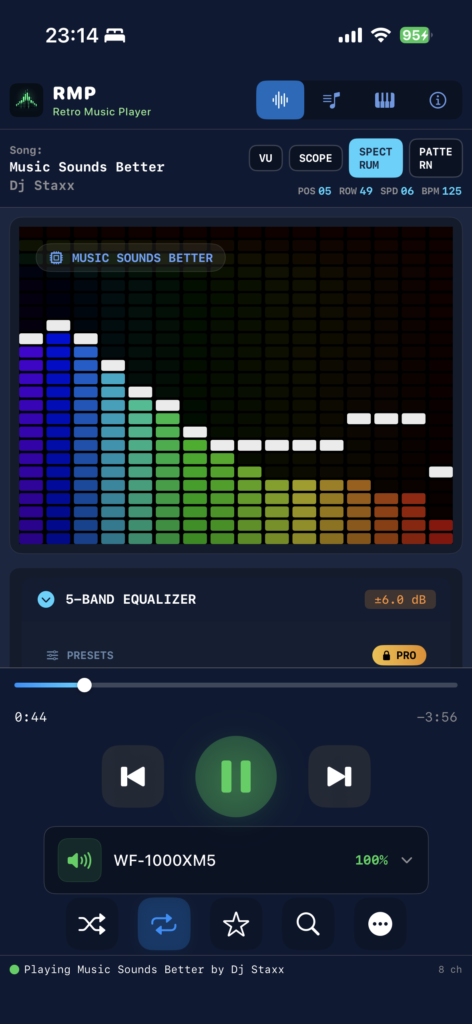
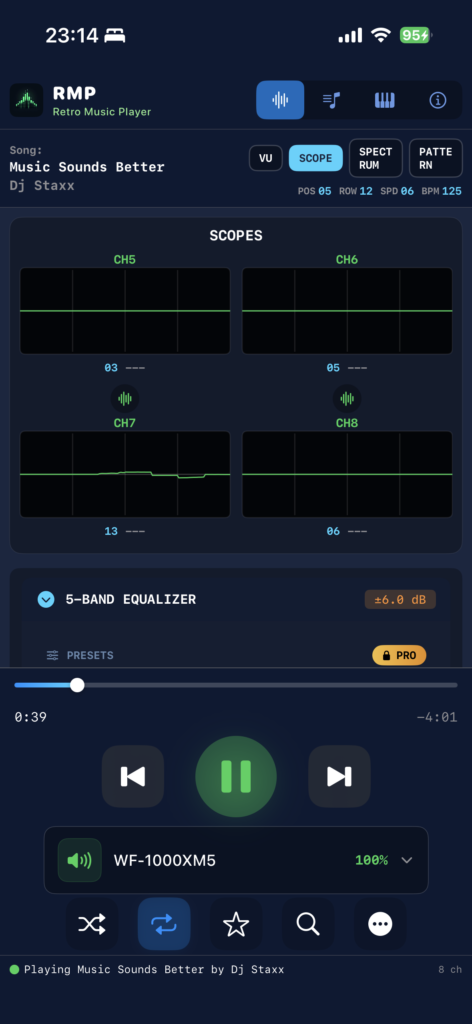
▸ Live tracker-style playback with position, speed, BPM, and voice activity
▸ Playlist management with shuffle, repeat, favorites, and navigation
▸ Instrument browser with waveform inspection and sample exploration
▸ Multitouch piano keyboard for instrument audition
▸ EQ, surround processing, and advanced playback controls
▸ Search and import music from online archives and retro music sources
▸ Modern interface designed for desktop and mobile use
Format Support
Broad retro format support
RMP combines multiple playback engines to support a wide range of classic music formats.
Tracker music via libxmp
MOD · XM · IT · S3M
Classic tracker module formats from the demoscene and Amiga era.
Game music via libgme
NSF · SPC · GBS · HES · KSS · SAP · AY
Console and home computer game music from NES, SNES, Game Boy, and more.
Retro sound via libvgm
VGM · VGZ · GYM · S98 · DRO
Sound chip logs from Sega and other classic hardware platforms.
RMP is designed to keep expanding, with support for additional retro music formats and music sources planned over time.
Discovery
Discover, search, and import
RMP is not limited to local playback. It also helps you discover new music and grow your collection. Browse and import songs from online tracker and retro music sources with a search experience designed for fast discovery and playlist building.
Current and planned source integration includes:
ModArchive
VGMRips
Additional retro music archives and endpoints
Whether you want to revisit classic scene releases or explore legendary game music, RMP makes discovery part of the experience.
Tracker View
A player that lets you see the music
RMP includes a live tracker-style playback interface that goes far beyond a standard audio player. Watch playback information update in real time with song position, row, speed, BPM, and voice activity. View per-channel meters, inspect playback behavior, and enjoy a visual experience inspired by the classic tracker world.
This makes RMP ideal not only for listening, but also for understanding and exploring how retro music is built.
Instruments
Explore the sounds inside the song
RMP includes a dedicated instrument and sample browser so you can inspect the content of compatible music files in detail. Browse instruments, view sample waveforms, inspect loop regions, and audition sounds directly from the app using a multitouch piano keyboard. This turns RMP into both a music player and a practical exploration tool for musicians, collectors, and retro audio enthusiasts.
Audio Controls
Shape the sound
RMP includes built-in tools to tailor the listening experience to your taste.
5-band equalizer
Surround and stereo enhancement controls
Advanced playback tuning
Low-latency audio playback using native platform backends
On Apple platforms, RMP uses AVAudio. On Windows, it uses low-latency WASAPI playback.
Platforms
Designed for modern platforms
iPhone
iOS with Now Playing integration and generated cover art
iPad
Full multitouch experience optimized for iPad
Mac
Native macOS with full desktop interface
Windows 11
WinUI 3 with WASAPI low-latency audio
Each version is designed to feel at home on its platform while preserving the same core retro music identity and feature set.
Pricing
Free to start. Premium for enthusiasts.
Free version includes
✓ Full music playback
✓ Live tracker view
✓ Instrument browser
✓ Waveform display
✓ Multitouch piano
✓ Search and import
✓ 5-band EQ
✓ Basic surround controls
✓ Playlist support up to 10 tracks
Premium upgrade includes
★ Unlimited playlist size
★ Expanded EQ
★ Advanced playback settings
★ Full surround controls
★ Enhanced tracker and waveform tools
★ Music export to WAV, OGG, and AAC (Apple)
★ Instrument export to WAV, AIFF, and Apple Loops (Apple)
RMP Premium is planned as a one-time upgrade.
Technical Credits
Powered by proven retro audio libraries
libxmp 4.7.0 — tracker module playback
Game_Music_Emu — classic game music playback
libvgm — VGM and related retro sound formats
Additional format and engine support may be added over time.
Retro music, reimagined
From tracker classics to legendary game music, RMP is built to make retro music easy to play, explore, and enjoy on modern devices. Follow the project for release updates, platform availability, and the return of the original DOS edition.