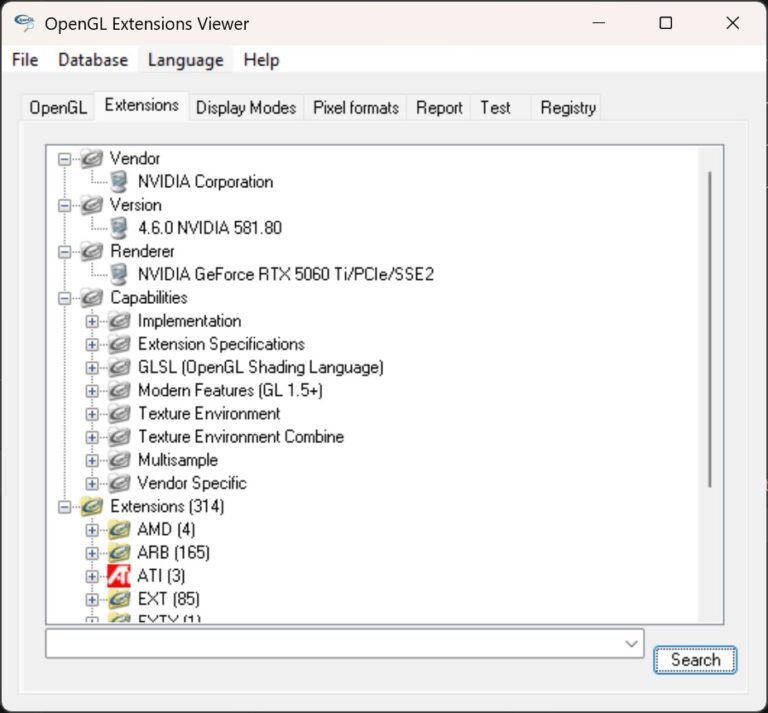
In the world of software development, some projects refuse to fade away completely. That’s exactly what happened with GLview 2.60 LTS, a long-term support re-release of the classic OpenGL Extensions Viewer targeted at the era of Windows NT 4.0 and fixed-function OpenGL.
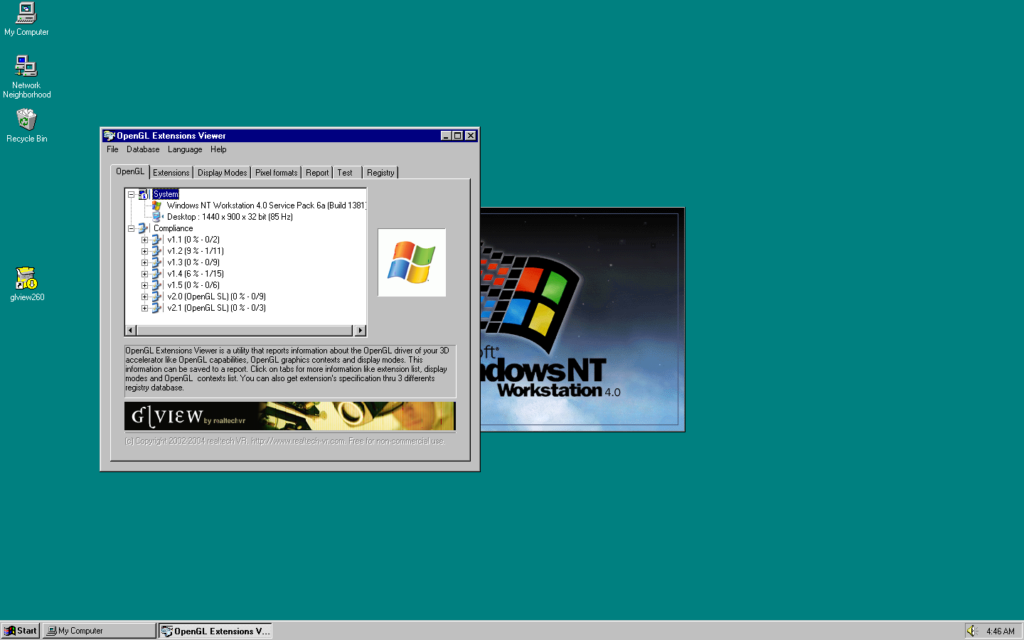
This unexpected revival began with a simple user request for an ancient version of the tool—one I wasn’t even sure still existed in any usable form.
The Lost Sources and a Journey Through Archives
The original source code for the earliest versions of GLview (previously known as OpenGL Extensions Viewer) was presumed lost forever. Over two decades, the project had undergone massive transformations: toolchain migrations, language shifts from native C++ with MFC to .NET and later WPF. The very early native code—designed for Windows NT 4.0 and the fixed-function pipeline of OpenGL 1.x to 2.0, complete with ARB extensions, assembly vertex programs, and early GLSL—had slipped into obscurity.
But persistence paid off. After rummaging through dusty backups and forgotten archives, partial source trees surfaced. It was enough to piece together the original architecture: a pure MFC-based UI tightly integrated with classic OpenGL rendering.
To truly validate the rebuild, modern Windows alone wouldn’t suffice—I needed to step back in time.
Rebuilding the Past… Literally
The resurrection process kicked off with dusting off old hardware settings:
- Re-enabling Hyper-V in the BIOS (a feature I hadn’t used in years)
- Setting up virtual machines for Windows NT 4.0 and Windows XP
- Discovering that VMware provided the best environment for testing NT 4.0 graphics
- And the real surprise: finding an original Visual Studio 2003 installation DVD, untouched for nearly 20 years, still perfectly readable on a spindle next to my desk
Bridging Old and New with Modern Tools
Instead of compiling everything directly in the antique Visual Studio 2003, I refactored and isolated the native rendering core. Modern CMake served as the perfect bridge:
- Building a static library on current Windows systems
- Sticking to conservative C++ (no features beyond C++03)
- Minimal dependencies—only the essentials like infogl.dll
- Externalizing shader sources to avoid hard-coding
- Strictly avoiding any APIs not available on NT 4.0
The resulting codebase was then rigorously tested across:
- Windows NT 4.0
- Windows XP
- Windows 11
The same binary logic spanning three decades of operating system evolution.
Fixing Issues That Time Had Introduced
Testing revealed several subtle bugs that had crept in over the years:
- Fullscreen mode hanging due to improper use of ChangeDisplaySettingsA → Solved by enumerating valid DEVMODE structures instead of manual crafting
- DPI scaling breaking fullscreen on modern Windows → Addressed with weakly linked DPI awareness APIs (like SetProcessDPIAware)
- Quirks in ARB vertex programs and register mismatches → Corrected with stricter spec compliance
- Inconsistencies in tangent-space lighting → Resolved by shifting all lighting calculations to view space and fixing normal/tangent transforms
Every fix prioritized compatibility with NT 4.0 first, ensuring forward compatibility followed naturally.
The Result: A Timeless Executable
What emerged is beautifully simple: a single glview.exe plus one supporting infogl.dll.
- No installer required
- Zero external runtime dependencies
- No emulation or compatibility layers
- Pure native OpenGL, just as it was meant to run
It performs flawlessly:
- On Windows NT 4.0 in a virtual machine
- On Windows XP
- On Windows 11 at 4K resolution with full DPI scaling
Same code. Same renderer. Same reliable diagnostics.
Why This Matters
This project wasn’t driven by pure nostalgia. It was about:
- Preserving a fragment of OpenGL history
- Demonstrating that thoughtful engineering can transcend platform lifecycles
- Proving that legacy code doesn’t need complete rewrites to remain viable—it just needs understanding and care
Above all, it’s a reminder that good software doesn’t vanish when hardware and OSes advance. Sometimes, it simply waits in an old archive for someone to breathe new life into it.
If you’re curious about OpenGL history or need a tool that works on truly ancient systems, GLview 2.60 LTS is a testament to enduring software craftsmanship.
Download GLview 2.60 LTS for NT4.0 to Windows 11 from